1 – The “Moth-er” of all bugs The first bug (Source: Naval Historical Center Online Library Photograph) After finding a moth inside the Harvard Mark II computer on September 9th, 1947 at 3:45 p.m., Grace Murray Hopper logged the first computer bug in her log book. She wrote the time and the sentence: “First actual case of bug being... Continue Reading →
How to create a bootable Windows USB using Rufus

we will be creating a bootable Windows 7 x64 USB using Rufus. Things you will need: Your bootable ISO of choice. I will be using a Windows 7 Ultimate x64 ISO Latest version of Rufus (I am using version 2.7) A spare USB stick (The size of the USB required will vary depending on the... Continue Reading →
How to Create Windows 7 Bootable USB Drive

Please note: during this procedure you'll lose any data on your USB flash drive. Please be extra careful during formatting, choosing the wrong drive will erase it completely. you will need PC running Windows XP/Vista/7/8/10 Windows 7, 32/64-bit (depending on the system) installation disk USB drive with at least 8GB of free storage Step 1:... Continue Reading →
Your location is currently in use in Windows 10

The Location Tracking service in Windows 10, will tell the apps where your location is ad you may or may not want this happening. When any app use the Location settings to identify your location, you will see a round icon in your taskbar. This would mean that your location is currently in use in... Continue Reading →
CMD Commands Every Windows User Should Know

Microsoft has slowly but surely pushed the command line aside in the Windows interface. This is not without reason, as it’s an antiquated and mostly unnecessary tool from an era of text-based input that has long passed. But there still are some commands that remain useful, and Windows 8 even added new features. Here are the commands every... Continue Reading →
Introduction to the Windows Command Prompt
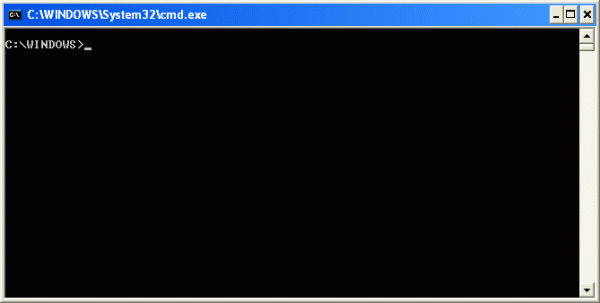
Introduction Before Windows was created, the most common operating system that ran on IBM PC compatibles was DOS. DOS stands for Disk Operating System and was what you would use if you had started your computer much like you do today with Windows. The difference was that DOS was not a graphical operating system but... Continue Reading →
What Are Tracking Cookies and How They Threaten Your Privacy

What do Cookies Do? A cookie is the term given to describe a type of message that is given to a Web browser by a Web server. The main purpose of a cookie is to identify users and possibly prepare customized Web pages or to save site login information for you. When you enter a... Continue Reading →
List of Rundll32 commands for Windows 10/8/7
Rundll32 commands for Windows To Create Desktop Shortcuts : Right click on desktop > New > Shortcut. In the first box of the Create Shortcut Wizard, copy-paste the desired command. Then Click Next. Give the Shortcut a Name. Finally, select an appropriate icon for it. Some of them can prove to be rather useful, eg,... Continue Reading →
როგორ დავაპაროლოთ და დავმალოთ საქაღალდე

პირველ რიგში ვქმნით ტექსტურ ფაილს (not pad - ში) და შიგ ვწერთ შემდეგს: cls @ECHO OFF title Folder Locker if EXIST "Control Panel.{21EC2020-3AEA-1069-A2DD-08002B30309D}" goto UNLOCK if NOT EXIST Locker goto MDLOCKER :CONFIRM echo Are you sure u want to Lock the folder(Y/N) set/p "cho=>" if %cho%==Y goto LOCK if %cho%==y goto LOCK if %cho%==n goto... Continue Reading →
კლავიატურის კომბინაციური ხრიკები, რომელებიც კომპიუტერთან მუშაობას გაგვიადვილებს

კლავიატურის ღილაკების შემოკლებული კომბინაციების, ე.წ. Shortcut-ების გამოყენებას შეუძლია თქვენი პროდუქციულობის ზრდა, ზედმეტი რუტინული ჯაფის თავიდან არიდება და კონცენტრაციაში დახმარება. მაგალითად, ბეჭდვისას თუ გსურთ მონიშნული ტექსტის კოპირება (Copy), კლავიატურაზე აკრეფთ ღილაკ “კონტროლს” – Ctrl და შემდეგ C-ს (Ctrl + C), რაც გაცილებით სწრაფი და მარტივია, ვიდრე კლავიატურიდან ხელის აღება, მაუსის დაკავება, კურსორის მიტანა მენიუში კოპირების ღილაკთან,... Continue Reading →
 Svanews