By pressing a combination of keys, you can do things that normally need a mouse, trackpad, or other input device. To use a keyboard shortcut, hold down one or more modifier keys while pressing the last key of the shortcut. For example, to use the shortcut Command-C (copy), hold down Command, press C, then release both... Continue Reading →
How to install Windows using Boot Camp
Boot Camp helps you install Microsoft Windows on your Mac. After installing, restart your Mac to switch between OS X and Windows. Before you begin, make sure you have everything you need. An Intel-based Mac A Microsoft Windows installation media or disk image (ISO) containing a 64-bit version of Microsoft Windows 8 or later* An Apple... Continue Reading →
Banners, Alerts, and Badges
Notifications work with your apps to let you know when something has changed. For example, you can see when there's incoming email in Mail, or upcoming appointments in Calendar. Each app displays these notifications as a banner, alert, or badge. Banners appear in the upper-right corner of your screen, without interrupting what you're doing. Banners... Continue Reading →
Mac Basics: Set your preferences
Besides changing the look and feel of your Mac, you can also let your Mac know how you prefer to work by using System Preferences. Using System Preferences System Preferences controls system-wide settings ("global" settings), and is available from the Apple menu at the upper-left corner of the screen. System Preferences lets you adjust things... Continue Reading →
Mac Basics: Desktop
he desktop is the space where you see file, folder, and application windows. Learn about your desktop and how to customize it. Elements of the desktop Apple menu - Access Software Update, System Preferences, Sleep, Shut Down, and more. Application menu - Contains menus for the application you're currently using. The name of the... Continue Reading →
მესამე ვაშლი, რომელმაც მსოფლიო შეცვალა
Mac OS X (მაკინტოშის ოპერაციული სისტემა) არის კომპანია ეპლის (Apple) მიერ შექმნილი ოპერაციული სისტემა, რომელიც მუშაობს მაკინტოშის კომპიუტერებზე. ამ ოპერაციული სისტემის შექმნის იდეა გახდა ის რომ კომპანია ეპლს არ ჰქონდა სურვილი მის კომპიუტერებს ემუშავათ ვინდოუსისთვის. მისი ასე ვთქვათ დებიუტი შედგა 1984 წელს მაკინტოშ 128k-სთვის. თვითონ ტერმინი Mac OS X არ გამოიყენებოდა 90 წლების შუამდე. მას... Continue Reading →
How to Begin Using a Mac
There are times in life after you end up having to use mac for 1st time, this is often quite hard for windows pc users. I’ve putted together a quick start guide for any Windows users. Differences: Mac OS X doesn’t have a begin menu (or screen), however instead uses a dock that by default... Continue Reading →
2015 was the worst in history for OSX malware
A new report from Bit9 and Carbon Black details how 2015 was the worst year in history for OSX malware. In a 10 week study conducted by both organizations it was discovered that 2015 had 5 times more malware than all of 2010-2014 combined. Currently Windows is still the most targeted operating system, but with Apple... Continue Reading →
CMD Commands Every Windows User Should Know
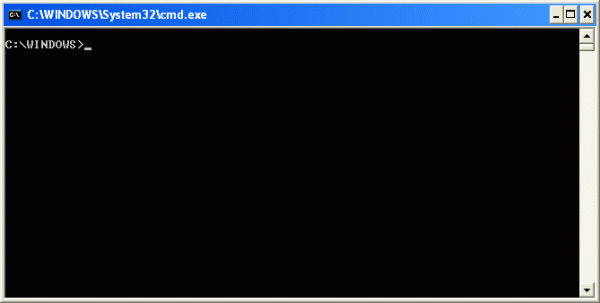
Microsoft has slowly but surely pushed the command line aside in the Windows interface. This is not without reason, as it’s an antiquated and mostly unnecessary tool from an era of text-based input that has long passed. But there still are some commands that remain useful, and Windows 8 even added new features. Here are the commands every... Continue Reading →
Introduction to the Windows Command Prompt
Introduction Before Windows was created, the most common operating system that ran on IBM PC compatibles was DOS. DOS stands for Disk Operating System and was what you would use if you had started your computer much like you do today with Windows. The difference was that DOS was not a graphical operating system but... Continue Reading →